Bulk Image Upscaler
Bulk Image Upscaler
Upscale multiple images with the AI model that fits your image type.
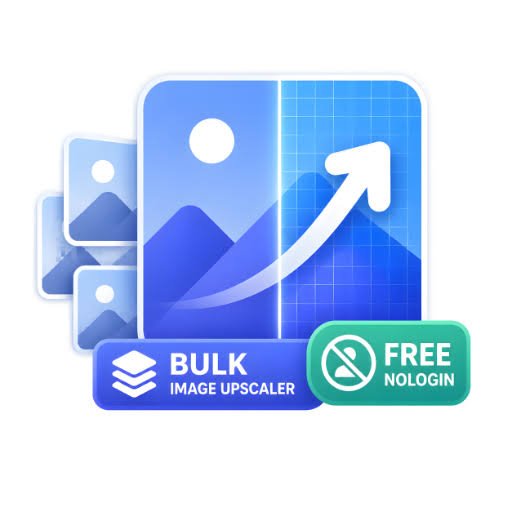
Overview
Bulk Image Upscaler is a web-based AI image upscaling tool designed for users who need more flexibility than a single generic enhancement model. Instead of using the same processing method for every image, it provides multiple AI upscaling modes tailored to different image types and use cases.
Users can upload JPG, PNG, and WebP images and choose the model that best matches their content. Available workflows include general image enhancement, traditional super-resolution, portrait enhancement, product image upscaling, AI-generated artwork, degraded or blurry image restoration, mixed image processing, and high-resolution output. Depending on the selected model and plan, images can be enlarged by up to 16×.
Bulk Image Upscaler also supports batch processing, allowing multiple images to be uploaded and processed in one workflow. This makes it useful for e-commerce sellers working with product catalogs, designers preparing visual assets, creators improving AI-generated artwork, photographers enhancing portraits, and users restoring older or low-quality images.
Because the tool runs directly in the browser, there is no desktop software to install or complicated setup process. Users can select an appropriate AI model, configure their preferred upscale settings, process their images, and download the enhanced results.
The main goal of Bulk Image Upscaler is to make AI image enhancement more practical by combining model choice, batch processing, multiple file format support, and specialized workflows in a simple web-based interface.
Key Features
2. Batch Processing: Upscale multiple images in a single workflow instead of processing them one by one.
3. Up to 16× Upscaling: Enlarge supported images by up to 16× depending on the selected model and plan.
4. Multiple File Formats: Supports JPG, PNG, and WebP image formats.
5. Specialized Image Modes: Includes dedicated modes for portraits, product photos, AI artwork, degraded images, and general images.
Visual Walkthrough

ReelDance
Multiple AI models for image and video creation
Nano Banana 2.5
Text + refs to 1K–4K images, keep characters

OldPhotoLive AI
OldPhotoLive AI restores, colorizes, and animates old family photos online, turning faded.

Graffiti Name AI
Graffiti Name AI helps you create graffiti names, test tag styles, and download finished.

Try AI Editor
Free AI Image Editor Online – No Sign Up

Kairval
Multi-model AI image & video generation: 15+ flagship models, one free account.
ProductShot AI
Studio and lifestyle photography for online sellers from a solitary upload

CharaSync
Create AI images and videos with consistent characters
GPT Image 2
Browser based image generation for product visuals and creative work

ImgKick
Generate and edit AI images in one browser workspace.

Zoivu
An AI studio for original characters, comics and stickers

GLMImage
AI scientific illustration generator for graphical abstracts and labeled figures.
DigiBouquet AI
Craft digital bouquets by hand for free or generate AI floral gifts instantly

MergePNG
Merge PNG files online for free - combine multiple PNG images into one in your browser.
Blur Face
Free in-browser face and video redaction tool

RemoveMate
AI background removal and image cleanup for clean product visuals
Review
Write a ReviewThere are no reviews yet.