
Runway
AI-powered creative platform for generating and editing professional videos and visuals.
AI-powered creative platform for generating and editing professional videos and visuals.

Reference-driven character motion for dance, avatar, mascot, and anime videos.

Extend an existing clip with a prompt and review duration, model, and credit cost before g

Hosted AI video editor with a real, reviewable timeline

Remove video backgrounds with AI and export transparent clips without a green screen.

Pre-upload structural feedback for short-form video
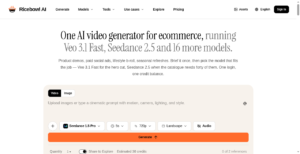
Create hotel lobby AI videos with sound from two photos.
Responsible video generation with audio rights verification and mood tools
Find the right AI video editor to cut, polish and finish your videos in much less time. This page lists AI tools that edit footage automatically, remove silences and background noise, add effects, improve quality and turn long videos into short clips. Every tool is reviewed by a real person before it goes live, so you can compare options with confidence.
An AI video editor uses artificial intelligence to do the slow parts of editing for you. It can find the best moments in a long recording, cut out pauses and mistakes, fix the audio, add music and captions, and resize a video for different platforms. Some let you edit a video by editing its text transcript, which feels as simple as editing a document.
AI video editors suit YouTubers, podcasters, marketers, social media teams, online teachers, small businesses and agencies. Beginners can make good-looking videos without learning complex software, and professionals can save hours on routine edits.
Start with the kind of videos you make, such as short clips, tutorials or long interviews. Then check how well the AI edits, how much control you keep over the final result, the export quality and formats, whether it adds a watermark on the free plan, the pricing and how fast it works on your computer or in the browser. Always watch the final video before you publish it, because automatic edits can sometimes cut the wrong moment. Open each listing to see features, use cases and pricing details before you decide.
We check every listing by hand and keep the information up to date, so you can trust what you read. Browse the AI video editors above, compare them and pick the one that fits your videos.
Looking for more? Browse all AI video generators and editing tools.