Best AI Logo Generators 2026: 10 Compared (Free & Paid)
Most AI logo makers let you design for free and then ask for money at the download button. A single low-resolution file can cost $20 to $40, and the file you actually need for print or your website often sits in a higher tier. It is easy to pick a tool, spend an hour on it, and only then find out what you can export.
This guide compares 10 AI logo generators: Canva, MiriCanvas, Magnific, Designs.ai Logomaker, Fiverr Logo Maker, zoviz, LogoAI, FreeLogoServices, Online Logo Maker and Looka. You get what each one costs, which files you get, and what to check before you pay.
How we made this list: We compared these tools using each company's official pages, review sites and recent public reporting. We did not run our own hands-on tests, and there are no scores or rankings here. No tool paid to be included. Logo-maker prices change often and sources sometimes disagree, so where they do we say so. Prices were checked on 15 November 2026, and you should confirm on the official page before you buy.
What are the best AI logo generators? (Quick answer)
For most people, start with Canva: it is free to start and flexible, but vector (SVG) export needs a paid plan. If you want a logo plus a brand kit in one purchase, look at Looka, LogoAI or zoviz. If you want something less template-like, Magnific offers a wide set of image models. If you may want a human designer to polish the result, Fiverr Logo Maker connects to Fiverr's marketplace.
This guide is part of our Logo Generators category, where you can browse more tools.

The 10 tools at a glance
| Tool | Best for | Free to try? | Paid (as reported, USD) |
|---|---|---|---|
| Canva | All-round, free start | Yes, with free PNG, JPG and PDF export | Pro about $15/mo or $120 to $144/yr (sources differ) |
| MiriCanvas | Template and element variety | Yes | Pro $11.99/mo or $129.99/yr |
| Magnific | Original, non-template marks | No free AI plan reported | From about $11/mo billed yearly, $16 monthly |
| Designs.ai Logomaker | Logo plus wider creative suite | Check the site | From about $19/mo |
| Fiverr Logo Maker | Path to a human designer | Free to design | From $30 one-time |
| zoviz | Logo plus brand kit | Free to design | Reported from about $20 one-time; some listings show $29/mo plans |
| LogoAI | Brand kit packages | Free to design | Basic $29, Pro $59, Brand $99 one-time |
| FreeLogoServices | Simple, low-cost packages | Free to design | Essential $40, Premium $60 one-time |
| Online Logo Maker | Simple logo creation | Check the site | Not clearly published in our sources |
| Looka | Fast concepts and a brand kit | Free to design | Basic $35 (earlier $20), Premium $72 (earlier $65), Brand Kit $96/yr |
Where sources disagree we show both numbers. Treat this table as a starting point and check each official pricing page.
What is an AI logo generator?
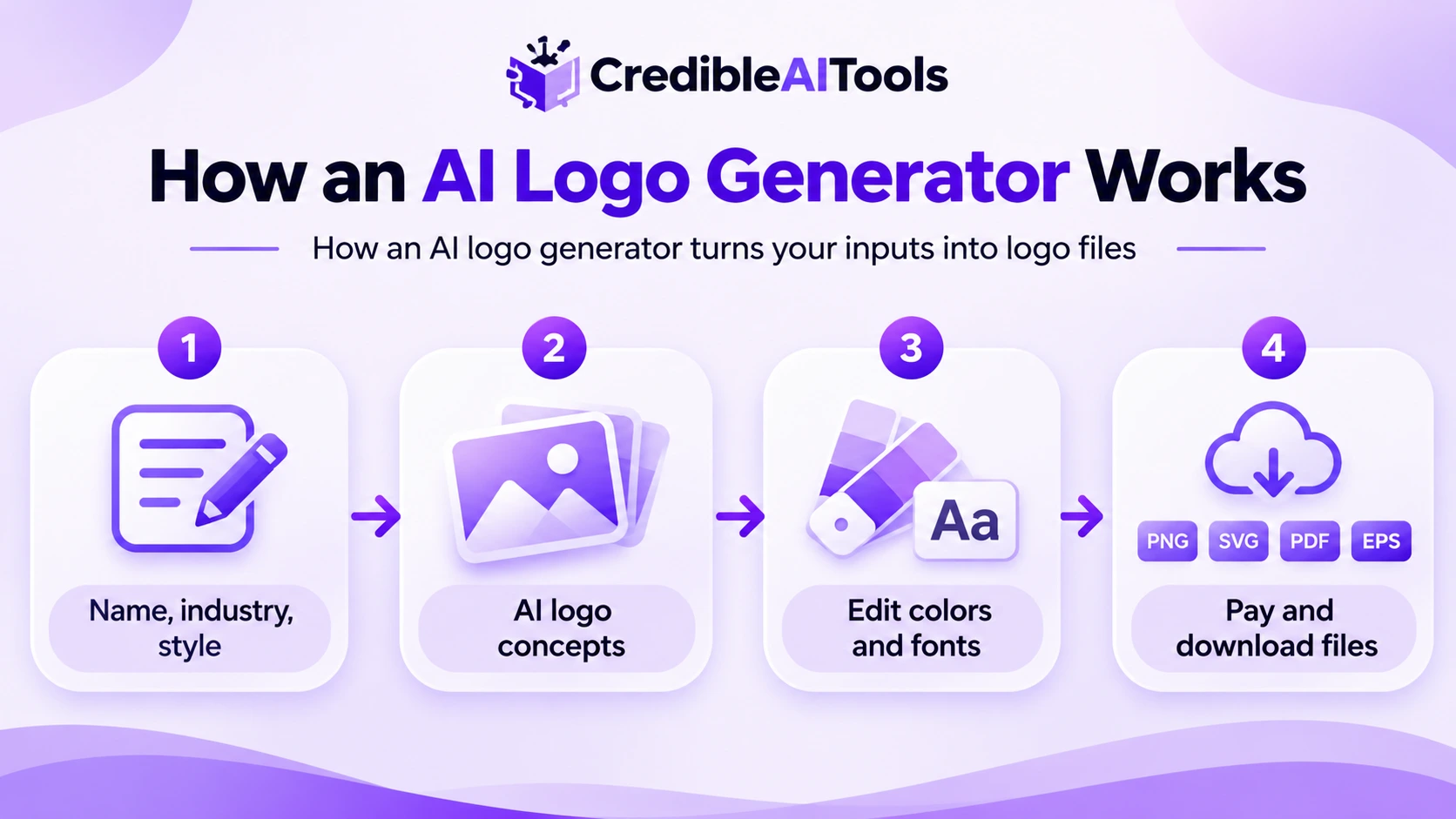
An AI logo generator creates logo concepts from a few inputs: your business name, industry, style and colors. Older tools mostly recombine icons and fonts from a library. Newer ones use generative models, which can produce more original shapes and lettering. Either way, you pick a concept, edit it, and then pay to download the files.
If terms like generative AI or model are new, see our guide to AI and ML terms explained. Many logo tools also sit close to Graphic Design Tools and Design & Creative.
Which logo files do you need?
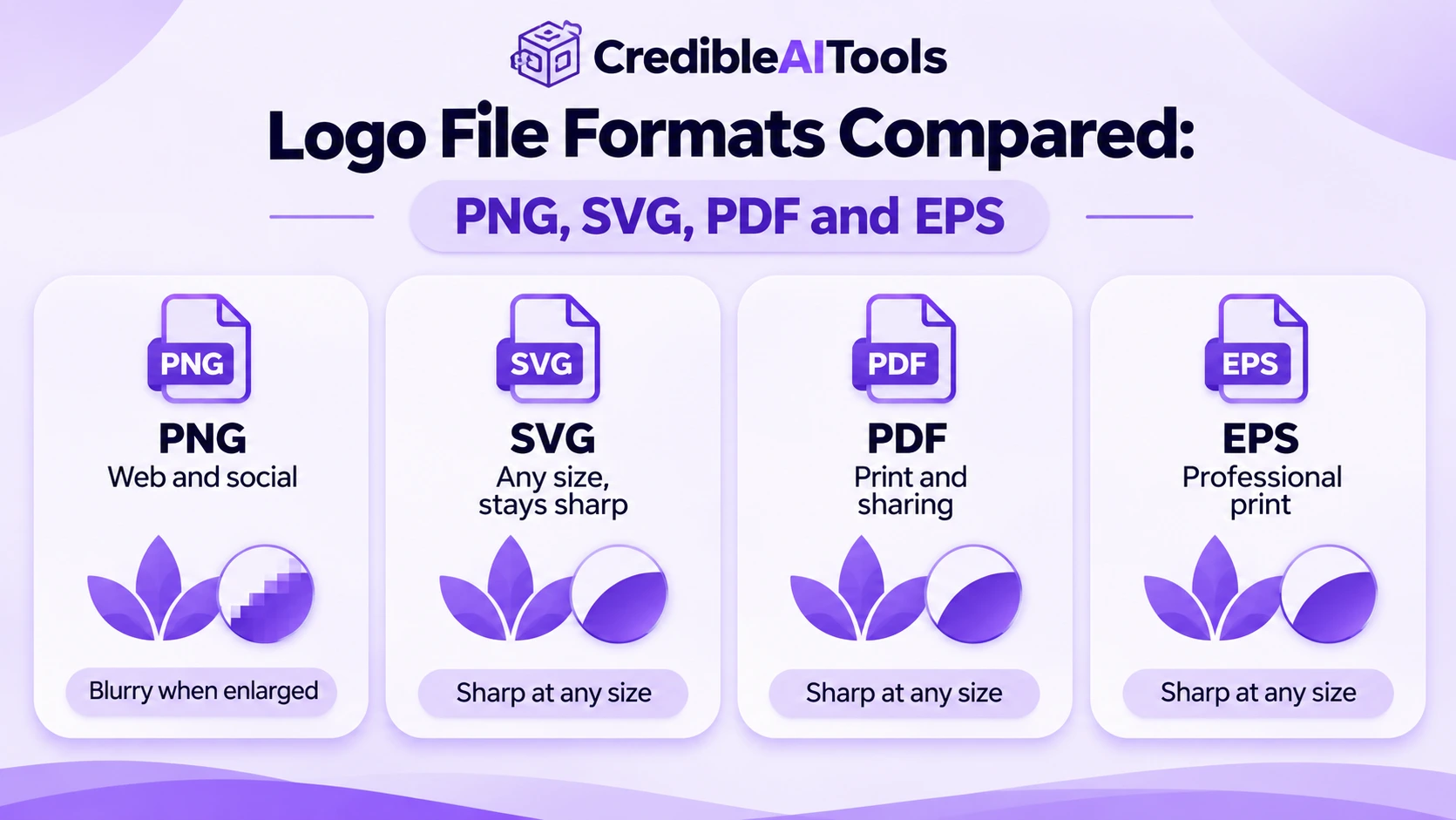
This is where tiers matter most. A low-resolution PNG is fine for a social profile picture, but it will look soft on a sign or a T-shirt.
| Format | What it is | Use it for |
|---|---|---|
| PNG | A pixel image, often with a transparent background on paid plans | Websites, social media, documents |
| SVG | A vector file that scales to any size without blurring | Websites, apps, anything you may resize |
| A print-friendly file that can hold vector artwork | Printing, sending to a designer or printer | |
| EPS | An older vector format that printers still request | Professional print |
Before you pay, find the tier that includes SVG or another vector file, and check whether it includes a transparent background and editing rights after purchase.
The 10 tools in detail
These are in no particular order. Each entry covers what the tool is, what it costs and what to keep in mind.
1. Canva
Price: Free. Canva Pro is reported at about $15 per month, or $120 to $144 per year in the US, and sources differ on the exact figure.
Canva's logo tool sits inside its wider design app, with thousands of templates and a drag-and-drop editor. See our Canva listing or the official logo maker page.
- Good for: beginners and anyone who already uses Canva. The free plan can export PNG, JPG and PDF.
- Keep in mind: SVG export and transparent-background downloads are Pro features, according to reviews. It is a general design tool, so it gives less logo-specific guidance than dedicated makers.
2. MiriCanvas
Price: Free. Pro is $11.99 per month or $129.99 per year per member.
MiriCanvas is an all-in-one design tool with a large library of templates, photos and graphics, and many designs have a Korean design look. Pro adds unlimited premium content and more AI features. Visit miricanvas.com.
- Good for: people who want more template and illustration variety, in a workflow like Canva's.
- Keep in mind: premium templates and content need Pro or individual purchase. It is not a dedicated logo tool, so check the export formats you get.
3. Magnific
Price: No free AI plan reported. Paid plans are reported from about $11 per month billed yearly, or $16 monthly, and are credit-based.
Magnific is the new name of Freepik: on 28 April 2026 Freepik rebranded its whole platform as Magnific, so older "Freepik" and "Magnific upscaler" guides are out of date. It bundles stock assets with many AI image, video and design models. See magnific.com. For more image tools, browse our Image Generation & Editing category.
- Good for: people who want original-looking marks and already use AI image tools.
- Keep in mind: it is not a dedicated logo maker, so you will not get logo-specific guidance or a ready brand kit. Credits do not roll over on every plan, so check the terms.
4. Designs.ai Logomaker
Price: Listed from about $19 per month in recent price trackers. Older sources mention a free tier, so check the site.
Logomaker is part of the Designs.ai suite, which also covers video, voice and mockups. It suits people who want a logo and other creative assets under one subscription. See our Designs.ai listing and the Logomaker page.
- Good for: a beginner-friendly interface and a wide template choice.
- Keep in mind: best value if you will use the rest of the suite. Confirm current plans before buying.
5. Fiverr Logo Maker
Price: Free to design, from $30 one-time to download.
Fiverr Logo Maker creates AI concepts based on designer work and sits next to Fiverr's freelancer marketplace. See fiverr.com for the current logo maker.
- Good for: people who may want a human designer to take the concept further.
- Keep in mind: one review says vector files need the Professional plan, and there are fewer AI-native features than purpose-built tools.
6. zoviz
Price: Free to design. Older listings show a Basic Logo Pack at $19.99 and a Full Brand Kit at $49.99, while some 2026 trackers list monthly plans from $29. Check the site.
zoviz is a logo and brand kit maker that says its designs are original rather than recycled from templates. It also supports multiple languages and extras such as business cards and social templates. Visit zoviz.com.
- Good for: a fast logo plus matching brand assets.
- Keep in mind: published pricing is inconsistent across sources, so confirm what each package includes before paying.
7. LogoAI
Price: Free to design. Reported packages are Basic $29, Pro $59 and Brand $99, all one-time.
LogoAI generates logo concepts and sells packages that add higher-resolution and vector files, social media assets and brand guides. See logoai.com.
- Good for: people who want a logo plus brand extras and prefer one-time payments.
- Keep in mind: the Basic package is low resolution (reported at 800 x 600 px), and vector formats need a higher package. Some 2026 listings also show a short paid trial, so read the checkout page.
8. FreeLogoServices
Price: Free to design, with reported packages of $40 (Essential) and $60 (Premium).
FreeLogoServices has a large template library, and you pay only when you download a design you like. Reviews say the free part is designing, not downloading. Visit freelogoservices.com.
- Good for: a simple logo at a fixed price.
- Keep in mind: despite the name, the logo is not free to download, and reviewers describe the templates as average.
9. Online Logo Maker
Price: Not clearly published in the sources we checked.
Online Logo Maker is a simple online tool for creating logos in a few clicks. Because we could not find clear current pricing, confirm plans, exports and licensing on its site before you pay.
- Good for: a straightforward logo flow.
- Keep in mind: check what you get for the price, especially vector files and commercial-use terms.
10. Looka
Price: Free to design. Reported one-time packages are Basic $35 (earlier $20) and Premium $72 (earlier $65). The Brand Kit is $96 per year, and the Brand Kit with a website is $129 per year.
Looka (formerly Logojoy) is one of the best-known AI logo makers. It generates many concepts quickly and offers a brand kit with business cards, social templates and more. A price tracker recorded the one-time prices rising in September 2026, while older articles still show the lower figures. See looka.com.
- Good for: fast concepts and a full brand kit.
- Keep in mind: the Basic package is one PNG file, and the Brand Kit is an annual subscription. Read what you are buying and the renewal terms at checkout.
Which logo generator for which job?
| If you want to... | Try | Why |
|---|---|---|
| Start free and learn the basics | Canva | Free plan with PNG, JPG and PDF export |
| More templates and illustrations | MiriCanvas | Large element library |
| A less template-like look | Magnific | Many AI image models in one plan |
| A logo plus other creative assets | Designs.ai Logomaker | Part of a wider creative suite |
| A designer to refine it later | Fiverr Logo Maker | Sits next to Fiverr's marketplace |
| A one-time logo and brand kit | LogoAI or zoviz | Packages with brand assets |
| A simple fixed-price logo | FreeLogoServices | Two clear packages |
| Many concepts and a brand kit fast | Looka | Quick concept generation and a kit |
Starting a new business? A logo is only one part of the setup. Our Marketing & Sales category covers the tools that come next, and our guide on how to promote your AI tool shows how branding fits into launch. If you need a site for the brand, see No-Code & Low-Code Builders.
Checklist before you pay
| Check | Why it matters |
|---|---|
| Which files are included | SVG, PDF or EPS are often in higher tiers, and print needs vector files |
| Transparent background | Needed to place the logo on colored backgrounds |
| One-time or subscription | A brand kit may renew yearly, so check renewal and cancellation terms |
| Commercial use and ownership | Read the license so you know how you can use the logo |
| Editing after purchase | Some plans let you change colors and fonts later, others do not |
| How original it looks | Template-based logos can resemble other businesses' logos |
Can you own and protect an AI-generated logo?
Read each tool's license first, because commercial-use terms vary. On copyright, the US Copyright Office's January 2025 report says that human authorship is required, so purely AI-generated material is not copyrightable, while meaningful human edits, selection or arrangement can be. A trademark is a separate question. This is general information and not legal advice, so ask a qualified attorney before you rely on a logo for a business.
Sources
Plans and prices come from the official pages, review sites and price trackers below, checked on 15 November 2026. Where they disagree, we say so.
- Canva pricing, plus review comparisons of free and Pro export formats
- MiriCanvas pricing
- Magnific pricing and reporting on the April 2026 Freepik rebrand
- Designs.ai Logomaker and price trackers
- Looka and price-tracking reports on the September 2026 change
- Reviews and listings for Fiverr Logo Maker, zoviz, LogoAI, FreeLogoServices and Online Logo Maker
- US Copyright Office: Copyright and Artificial Intelligence
Frequently asked questions
What is the best AI logo generator?
It depends on what you need. Canva is a common starting point because it is free to start. Looka, LogoAI and zoviz suit people who want a brand kit, Fiverr Logo Maker suits people who may hire a designer later, and Magnific suits people who want a less template-like look.
Can I get a logo for free?
Yes, partly. Canva's free plan lets you export PNG, JPG and PDF. Most dedicated logo makers are free to design in but charge to download, and vector files usually cost more. Some other tools not on this list have been reported to offer free SVG, so compare before paying.
Do all AI logo makers include vector files?
No. Many keep SVG or other vector files for paid tiers, including Canva Pro and the higher LogoAI and Looka packages. Confirm formats before you choose, especially if the logo will be printed or resized.
Can I use an AI-generated logo commercially?
Usually yes once you accept the tool's license, but terms vary. Read each tool's commercial-use and ownership terms before you rely on a logo for your business.
Can I copyright or trademark an AI-generated logo?
The US Copyright Office says copyright needs human authorship, so purely AI-generated material is not protected, while meaningful human edits may be. Trademark is a separate process. Ask a qualified attorney about your situation.
AI logo maker or a human designer?
An AI maker is faster and cheaper, and works well for early-stage projects. A human designer can offer original strategy and a unique mark. Fiverr Logo Maker connects AI concepts to Fiverr's freelancer marketplace if you want to start with AI and hand off later.
Explore more AI tools
Browse the full directory by category, or submit your own tool for manual review.
Browse logo generators Submit your AI tool