AI Agents vs Workflow Automation: What’s the Difference? (2026)
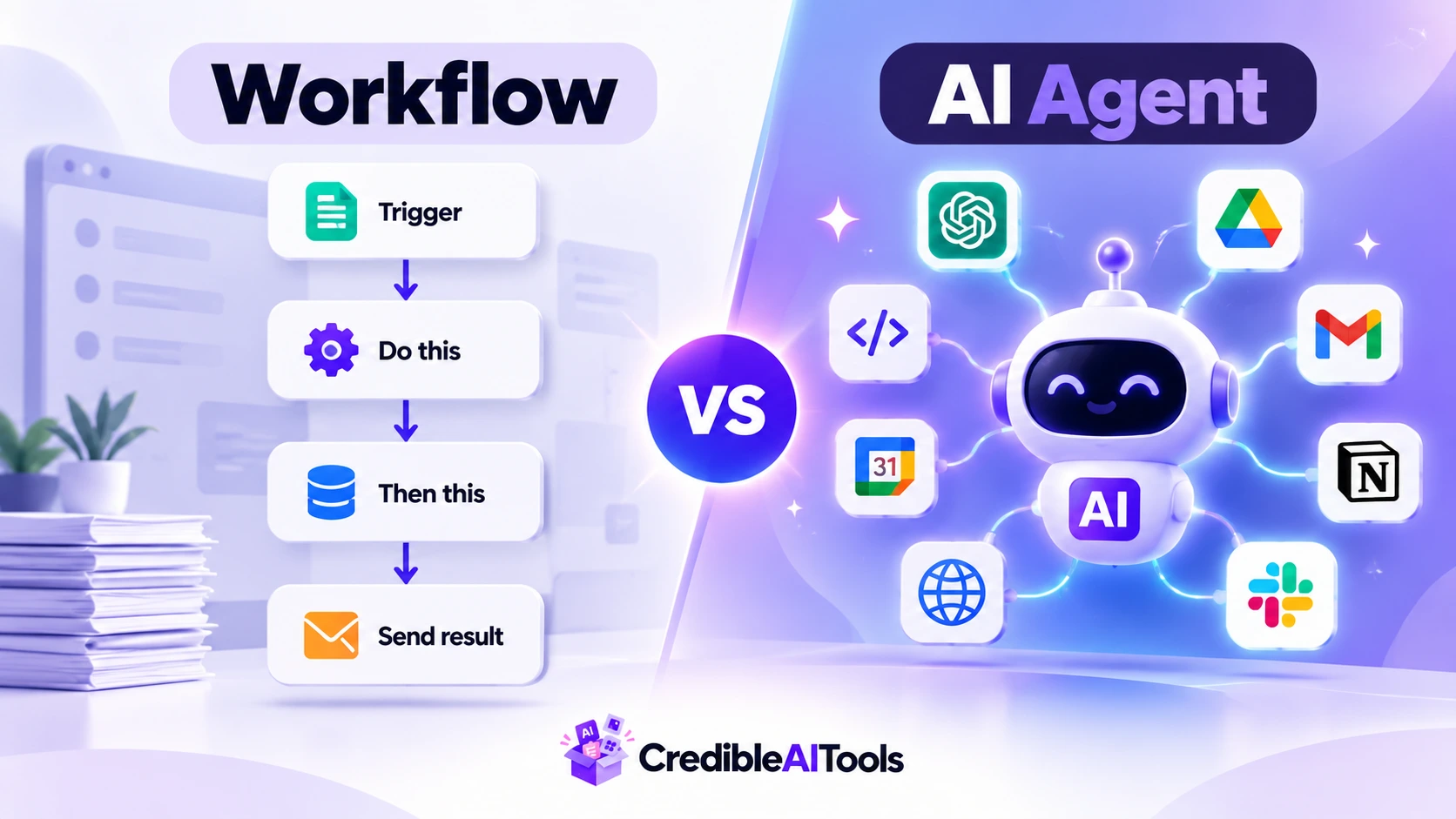
For years, automating work meant building a workflow. Someone mapped every step, wrote the rules and tested every path. It worked, but it took a lot of engineering time and business analysis, and it broke when something unexpected happened.
AI agents take a different approach. Instead of following a fixed path, an agent decides what to do next. This guide explains how AI agents and workflow automation differ, how agents evolved from 2022 to 2026, what can go wrong, and how to choose between them.
Heads up: this field changes fast. Tool names and best practices shift every few months, so treat this guide as a map, not a rulebook.
AI agent vs workflow: quick answer
A workflow follows steps that people design in advance. An AI agent uses a large language model (LLM) to decide the steps itself, and uses tools to act on them. Think of a workflow as a train on fixed tracks: fast and reliable on its route, but it cannot leave the rails. An agent is more like a driver with a map and a destination, who can choose a new road when one is blocked.
What is workflow automation?
Workflow automation connects apps and runs tasks using rules. In large companies this is often called robotic process automation (RPA). Smaller teams use tools such as Zapier, Make, n8n and Pipedream to chain apps together. A typical rule reads: when a form is submitted, add the person to a spreadsheet, then send a welcome email.
Every step is planned, and the same input always gives the same result. That predictability is the strength of workflows. The weakness is the effort. Hard-coded workflows are slow to build, need extra logic for every case and edge case, and break easily. When the situation changes, a person has to update them.
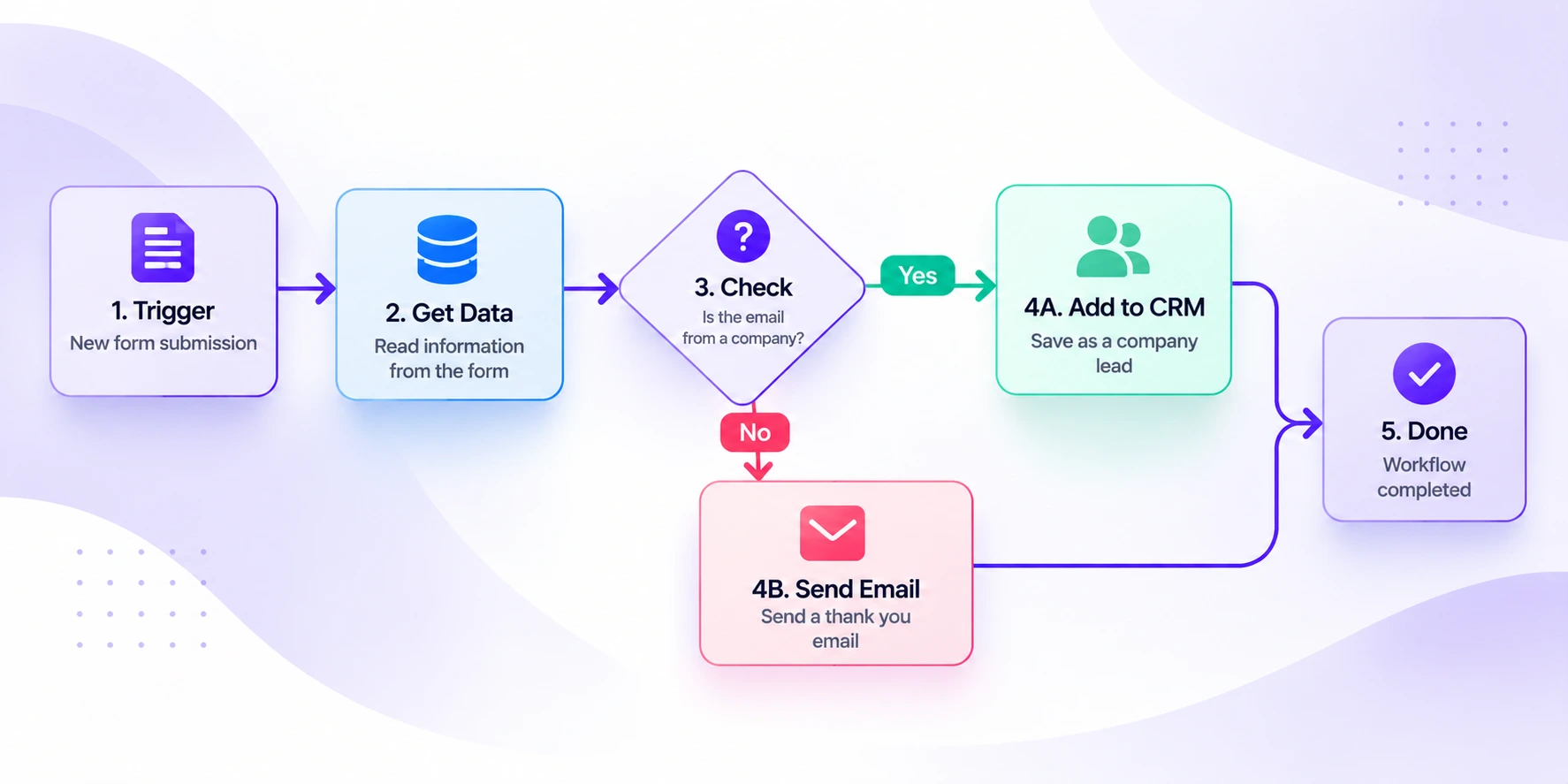
Workflows are still the right choice for repeat tasks with clear rules. You can browse tools in our Workflow Automation category.
What is an AI agent?
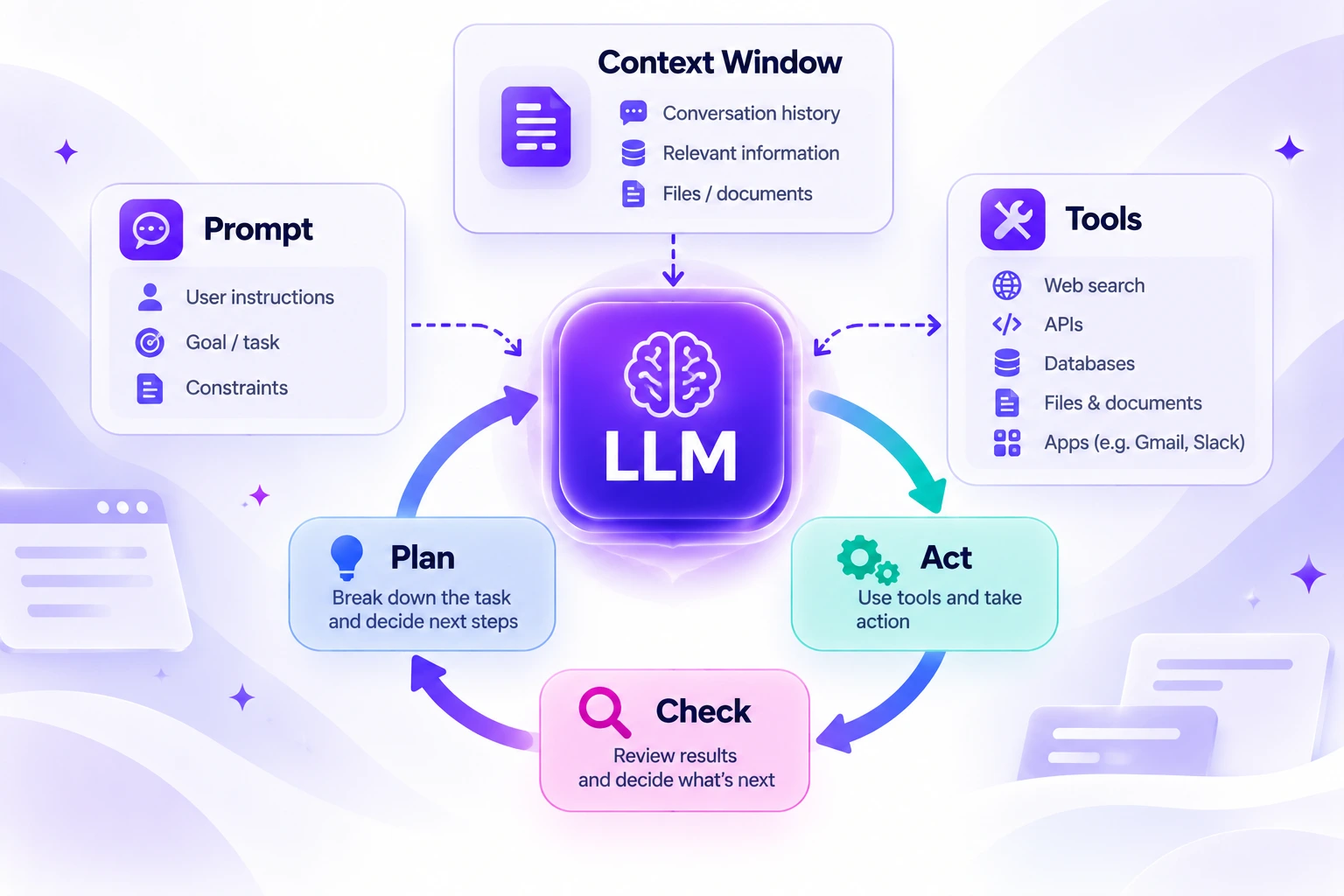
An AI agent is a system where an LLM is the core decision-maker. You give it a goal, and it works out how to reach it. Every agent has four main parts:
- An LLM: the brain that reasons and chooses the next action.
- Its own prompt: written instructions that tell it its role and rules.
- A context window: the working memory that holds the information relevant to the task.
- Tools: the things it can use to act, such as search, files, code or other apps.
With these parts, an agent works in a loop: it plans, acts, checks the result and then moves to the next step, until the task is done.
You can explore real examples in our AI Agents category.
Why tool calling changed everything
Bigger context windows and better reasoning helped LLMs a lot. But the real turning point was tool calling. With it, a model can ask to use an outside tool, so it can change things beyond its own chat window instead of only writing text.
The first big use of this was coding. AI code editors such as Cursor and Windsurf let a model read a project, edit files and run commands. Today agents do much more:
- Research: deep research in ChatGPT and answer tools like Perplexity gather and compare many sources.
- General tasks: Manus takes a task you describe and works through it.
- Building: Lovable creates web apps from a description.
- Support and calls: agents help troubleshoot problems and handle customer conversations.
Tool calling also led to open standards for connecting AI to tools. If you want the technical side, read our guide to MCP (Model Context Protocol).
A real example: one support request, two ways
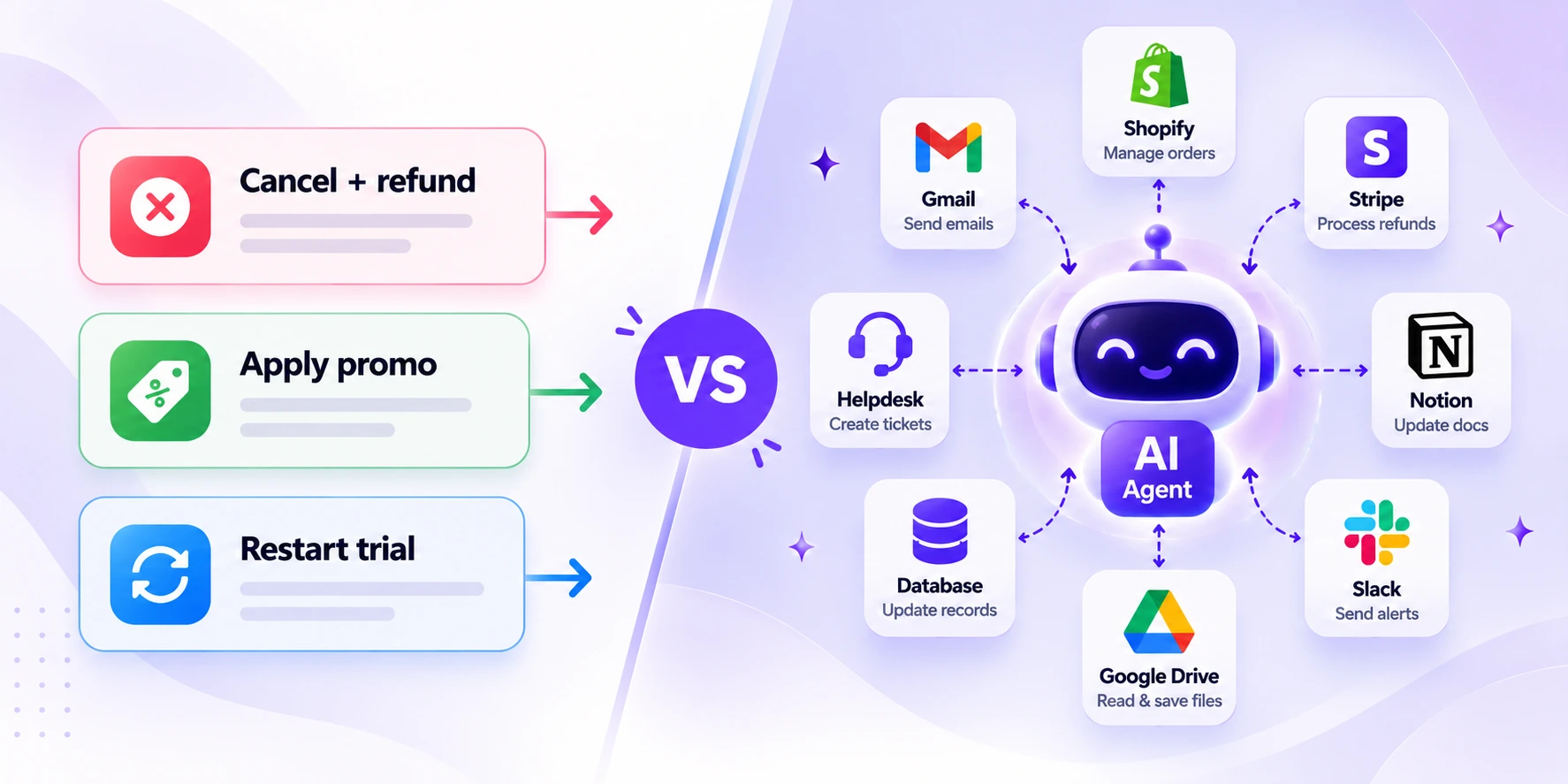
Say a customer writes to support: "Please cancel my subscription and refund my last payment." Here is how each approach handles it.
The workflow way
You build every step by hand: look up the customer, find their subscription, call the billing system to cancel it, list their recent payments, refund the last one, write a summary and send it back. That is one path.
A second customer wants a promo code instead? That needs a new branch. A third has an expired subscription and wants a fresh trial? Another branch. And what if someone wants to cancel, get a refund, move to a higher plan and apply a promo code? Every new combination must be planned and coded in advance.
The agent way
You connect the tools once: get customer, list payments, cancel subscription, refund payment and apply promo code. Then you give plain-English instructions, such as "Cancel the subscription and refund the last charge."
The agent plans the steps, picks only the tools it needs, acts, and checks the result after each step. If something fails, it can retry or try a different way. At the end it writes a summary for the customer. For a promo code request, it would not touch the refund tool at all.
| Workflow | AI agent | |
|---|---|---|
| Cancel and refund | A planned path with several steps | One plain-English instruction |
| Add a promo code | A new branch to build | Same tools, new instruction |
| Unusual combination | Must be coded in advance | The agent works out the order |
| When a step fails | Stops, unless you coded a fix | Can retry or change approach |
| Customer summary | Often a fixed template | Written from what actually happened |
The more tools you connect, the more combinations of actions an agent can handle, without anyone drawing each path. For ready-made options in this area, see our Customer Support Bots category.
AI agents vs workflow automation: side by side
| Workflow automation | AI agent | |
|---|---|---|
| Who decides the steps | A person, in advance | The LLM, while it works |
| Flexibility | Low. It follows the plan | High. It can change its approach |
| Setup effort | High. Every path must be mapped | Lower. You describe the goal and the rules |
| Predictability | Very predictable | Can vary between runs |
| Cost and speed | Usually cheap and fast at scale | Every model call adds cost and delay |
| Best for | Repeat tasks with clear rules | Open-ended tasks that need judgement |
| Example | Send an alert when a new lead arrives | Research five competitors and write a summary |
How AI agents evolved from 2022 to 2026
An agent in 2022 was very different from an agent today. As the technology improved, the way people controlled agents changed too.
| Stage | Main focus | What it means |
|---|---|---|
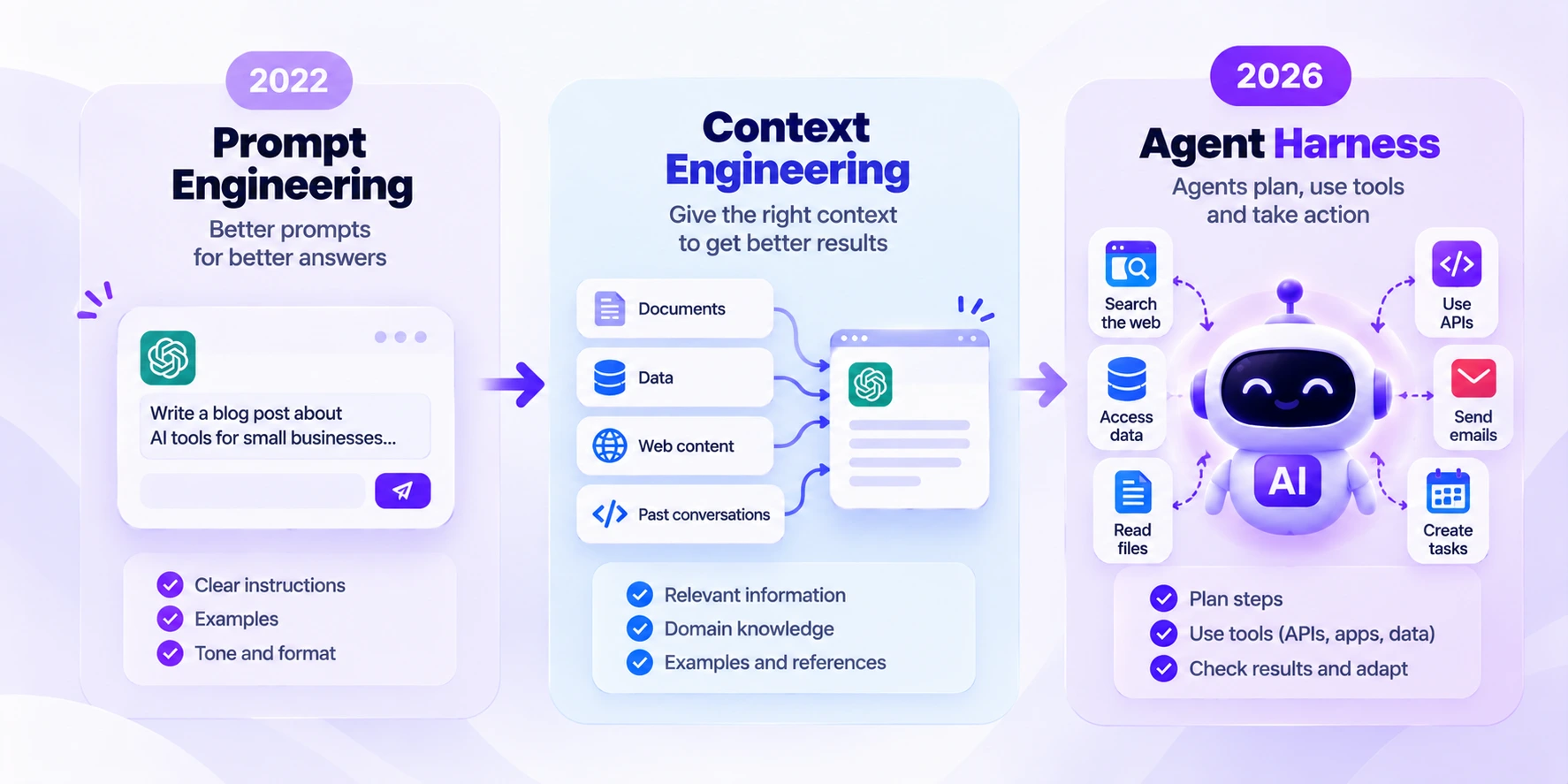
| Prompt engineering | How you word the instructions | Context windows were small, so every word of the prompt mattered. |
| Context engineering | What information the agent sees | As windows grew, keeping the context clean and organised gave better results. |
| Agent harness | The environment the agent works in | The focus moved from steering each decision to designing the setting around the agent. |
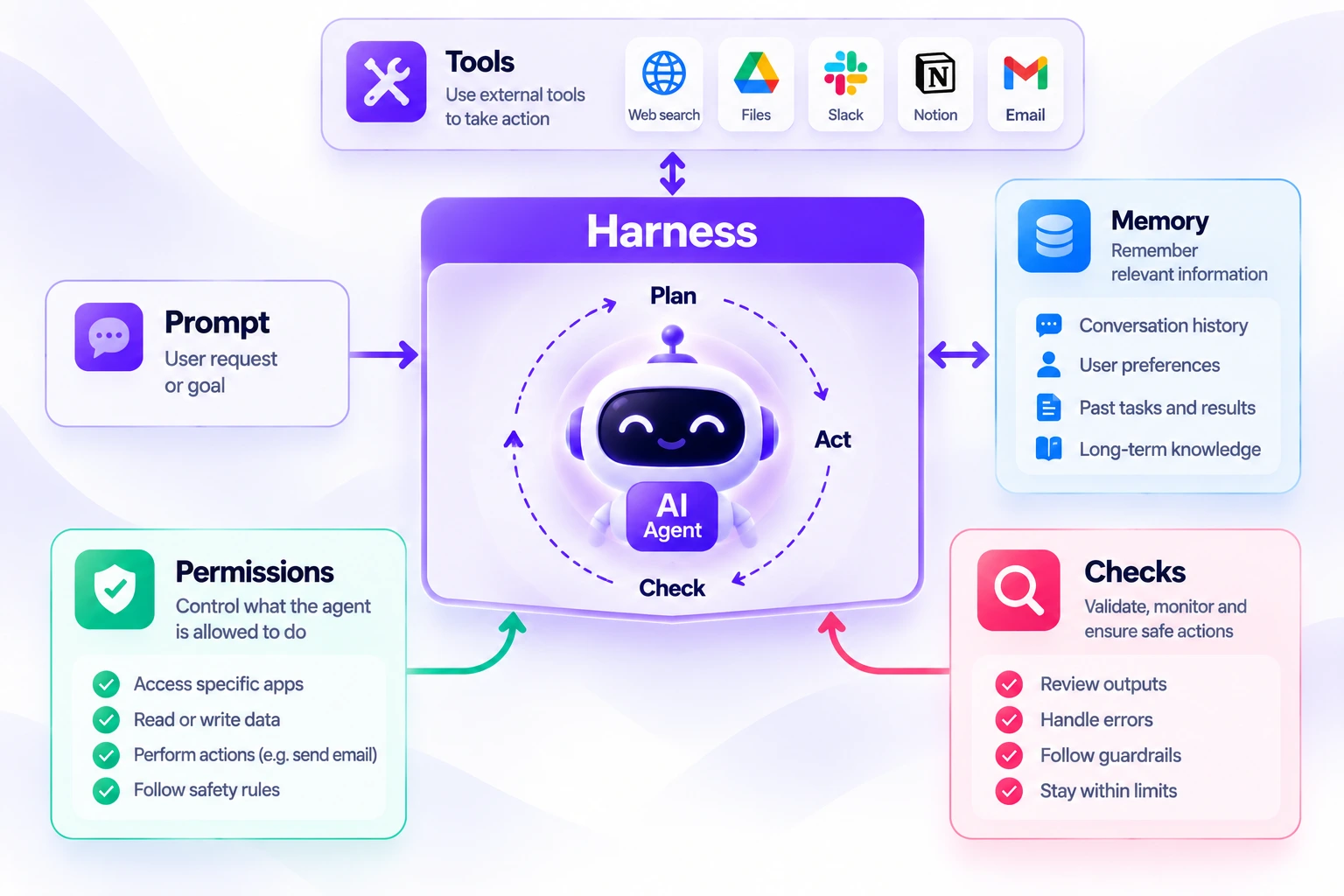
An agent harness is the setup around the agent: the tools it can reach, the permissions it has, the memory it keeps and the checks that review its work. A better harness lets an agent do more with less hand-holding.
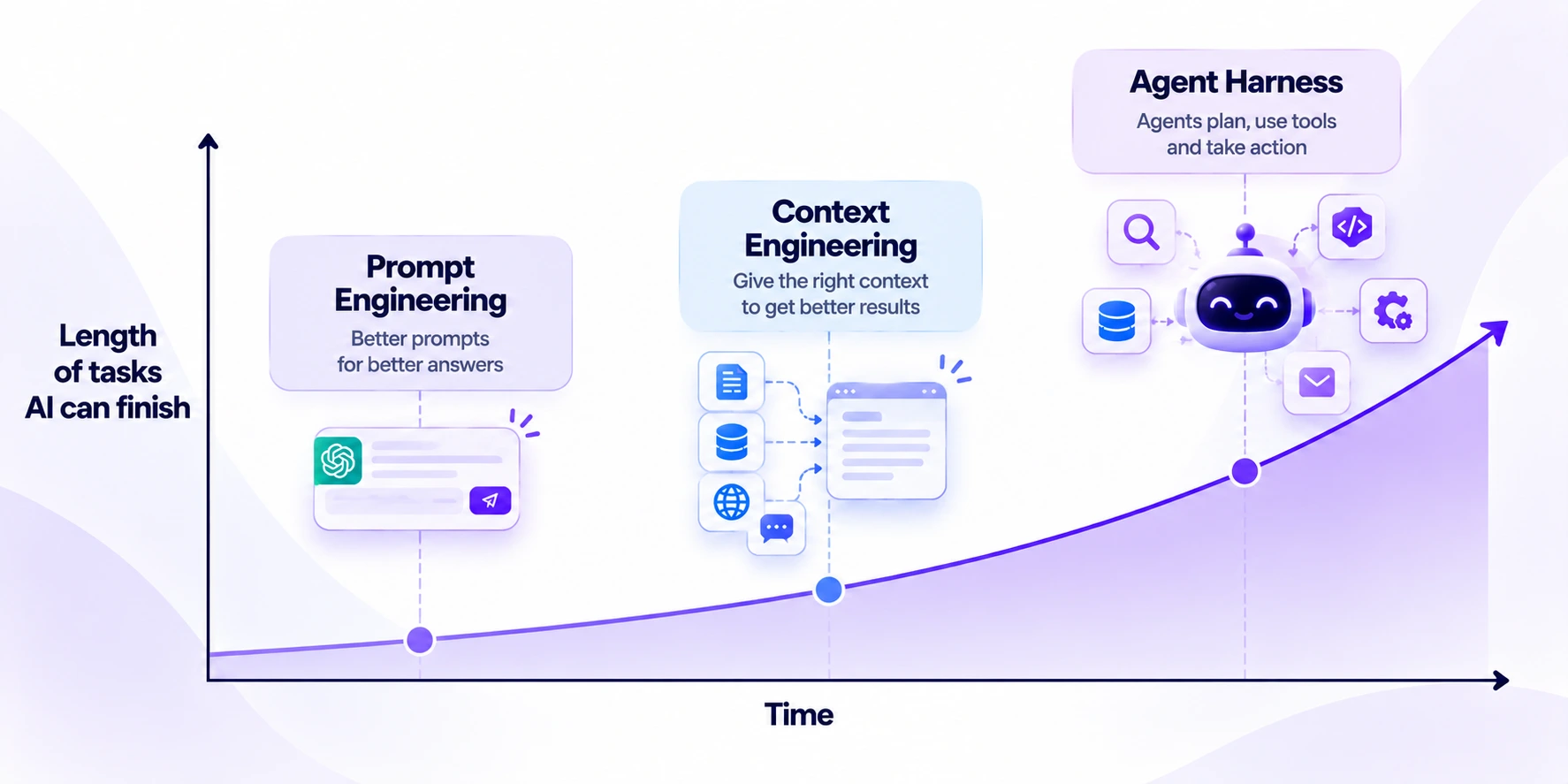
Why longer context means longer tasks
One big change is time. As context windows grew, agents became able to handle longer tasks. Research groups such as METR track how long a task an AI can finish successfully, and that length has been growing as models improve. Higher intelligence, bigger context and faster output keep changing what an agent is, and what you can hand to one.
The best of both: agentic workflows
You do not have to pick one side. Many teams now build hybrid systems. A workflow runs the dependable, high-volume steps, and it calls an agent only for the step that needs thinking.
For example, a workflow can catch every new support email, tag it and log it. Then an agent reads the tricky ones, checks the customer's history and drafts a reply for a person to approve. The workflow keeps cost and speed under control, and the agent handles the messy part.
Several workflow platforms now let you add an AI agent as one step inside a flow. Tools for planning and tracking work are in Task & Project Management, and options for building without code are in No-Code / Low-Code Builders.
Which should you use?
| If your task... | Choose |
|---|---|
| Repeats often, has clear rules and needs the same result every time | Workflow |
| Is open-ended, needs research or judgement, or changes from case to case | AI agent |
| Runs in very high volume where cost and speed matter | Workflow |
| Has a mix of simple steps and one tricky step | Hybrid: workflow plus agent |
| Touches billing, customer data or anything hard to undo | Add human approval, whichever you choose |
Challenges of AI agents (and how to manage them)
Agents are powerful, but they are not a free upgrade. Treat these as a checklist before you rely on one.
| Challenge | Why it happens | What to do |
|---|---|---|
| Unpredictable results | LLMs are probabilistic. The same prompt run 100 times can give different results, unlike traditional software. | Add guardrails, write test cases and review important results |
| Cost and speed | Every model call adds delay and cost. Workflows are usually more predictable at scale. | Keep high-volume, predictable steps in a workflow |
| Security | An agent with access to business tools can do real damage if it misuses them | Use secure credentials and give the least access it needs, such as read-only where possible |
| Connecting many systems | Every service has its own way to connect | Use open standards such as MCP |
| Unclear history | You cannot see why the agent acted | Choose tools that keep a log of each step |
What are guardrails?
Guardrails are rules that keep an agent inside safe limits: only do these actions, and always ask a person before a high-risk decision. You can also control what reaches the agent. For a sensitive job like billing, let your own system choose the request that the agent receives, instead of letting customers type anything into it. A less sensitive job can allow more freedom.
How to start with AI agents in 5 steps
- Pick one small task. Choose something useful but low-risk, such as summarising research or sorting incoming messages.
- Connect only the tools it needs. Fewer tools mean fewer mistakes.
- Write clear instructions. Say what the agent should do, what it must never do and what the final output should look like.
- Start read-only and add approvals. Let it look before it changes anything, and require a person to approve sensitive actions.
- Check the logs and improve. Review what it did, fix weak spots and widen its job only when results are steady.
Where to find AI agents and automation tools
Start with the category that matches your need:
- AI Agents for tools that plan and finish tasks on their own
- Workflow Automation for connecting apps and automating repeat steps
- AI Code Assistants for coding help and code editors
- Research Assistants for gathering and comparing sources
- Productivity & Automation for the full range of time-saving tools
Frequently asked questions
What is the difference between an AI agent and a workflow?
A workflow follows steps that a person designed in advance. An AI agent uses an LLM to decide the steps while it works, and uses tools to carry them out.
Is an AI agent the same as a chatbot?
No. A chatbot mainly answers in a conversation. An agent can also take actions, such as searching, editing files or using other apps, to finish a goal. For chat-style tools, see our General Chatbots category.
What is tool calling?
Tool calling lets an AI model request the use of an outside tool, such as a search or a database. It is the feature that turned LLMs from text writers into agents that can act.
What is an agent harness?
An agent harness is the environment around an agent: its tools, permissions, memory and checks. It shapes how well the agent can do its job.
What are guardrails in AI?
Guardrails are rules that limit what an agent can do, such as allowed actions or required human approval, so it does not make costly mistakes.
Are AI agents reliable?
They can be useful, but results can vary from run to run because LLMs are probabilistic. Use guardrails, test your agent and ask for human approval on high-risk actions.
Are AI agents more expensive than workflows?
Often yes at high volume, because every model call adds cost and delay. Workflows are usually more predictable on cost, which is why many teams use both.
Will AI agents replace workflow automation?
Not completely. Workflows are still better for tasks that are clear, repeat often and need the same result every time. Many teams use both together.
Do I need to code to use an AI agent?
Not always. Many agent tools work from plain-language instructions. Coding helps if you want to build a custom agent from scratch.
Explore more AI tools
Find AI agents, automation platforms and productivity tools in our directory.
Browse AI tools Submit your AI tool